
SX10509: Xwire Configuration
This tab allows you to configure Xwire communications between the SX10509 and its SPLat master.
Any changes you enter here will take effect once the change button is pressed.
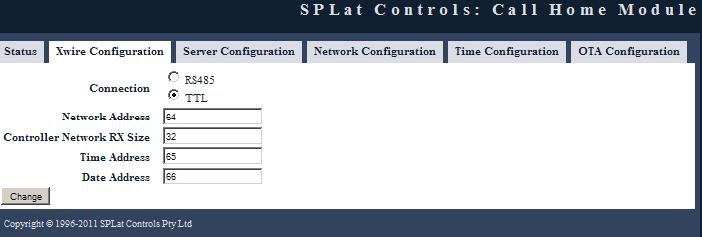
Connection:
This is where you must select how the SX10509 is connected to its SPLat master. Selecting the option labelled RS485 will activate the RS485 interface. Selecting the option TTL will activate the Xwire electrical interface.
Network Address:
The unique Xwire address containing data that is sent to and from a server. This is set to 64 by default.
Controller Network Rx Size:
Size of the SPLat controllers Rx buffer for the above network address. May be between 3 and 32 bytes long. By default, this is set to 32 bytes.
Time Address:
The unique Xwire address that provides Internet synchronised Local time. This is set to 65 by default.
Date Address:
The unique Xwire address that provides Internet synchronised Local Date. This is set to 66 by default.