HMI - Bounds Slider
Simple HMI supports sliders, even on a resistive touch screen. It doesn't feel as good as a smartphone because the SPLat controller uses a resistive touch screen, hence it requires pressure to register a touch which can be awkward when trying to slide too.
With this caveat in mind, it works quite well. Here's a screenshot:
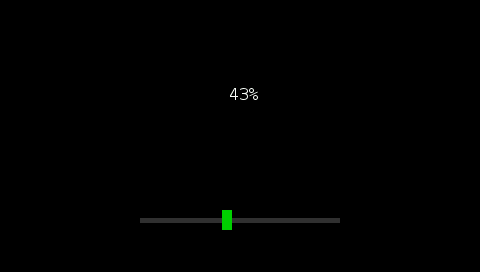
This is a very basic example that we hope clearly demonstrates how you can do it. You can make slider look great by using images for the bar and the slider instead of solid colours like this example.
And here's the working source code:
Download HMI430 Slider Bounds Example
There are 4 files, but you will need to open slider_bounds.spt in SPLat/PC, then compile & download to your controller.
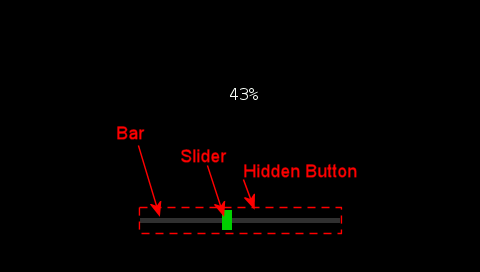
The first trick is in placing a hidden button where the slider is being drawn and make sure the button is set to fast repeat. Using repeat allows the button to send position updates as the user moves their finger along the bar. So the button's mode will be:
m:"h1r20"
meaning hidden, repeat 20 times per second.
Then in the button handler, use the UIsubGetButton subroutine (in the ui_utils.spt file) to get extra information about the button, most importantly the X coordinate of the press. Armed with this information it's now possible to have sliders.
Here are the components of the slider in this example: