
Overview
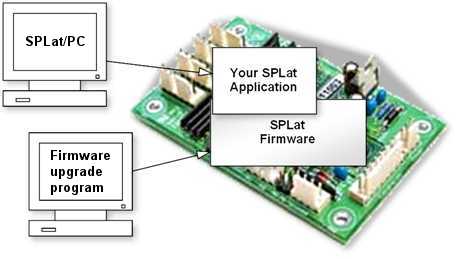
SPLat provide free firmware updates for current controllers and some legacy controllers too. Sometimes an update is for a bug fix, but mostly they are to provide new functionality.
It is easy to update the firmware in your controller. There are two files you will need to download from this page to make the magic happen. You will need the reFlasher software for your PC and the latest firmware file for your controller. If you have previously installed the reFlash software for your PC check its version number to determine if you need to update it.
Make sure you still have your SPLat application handy as uploading firmware will erase the existing copy in the controller. Make sure you have SPLat/PC installed and ready to to re-upload your application.
Current Version
Finding what firmware version is in your controller can be done with SPLat/PC. Connect SPLat/PC to your controller and click "Stop".
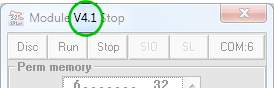
The firmware version number is displayed in the title bar.
Choose your controller
1. Download SPLat Firmware
Download this firmware file for your controller. More information about the upgrade process can be found in the Knowledge Base.
2. Download SPLat reFlash
Download then run SPLat reFlash on your PC. This tool will upload the firmware to your SPLat controller. You will need a serial port or USB to serial adaptor and may also need a PC232 programming cable.
Windows 8.x Users
The first time you run reFlash, you will need to do so as the Administrator, otherwise you will see an error about HIRESTIMER.OCX not being registered. After you've done this once, you can run it normally in future.
1. Download SPLat Firmware
2. Download STMicro DFU Demo
Download then install the STMicro DFU "demo" making sure you unstall any old version first. This tool will upload the firmware to your SPLat controller. You will need a USB Type-A to Mini-B cable.
Download STMicro DFU Demo 3.0.6, 32bit & 64bit Windows
Install the DFU Demo before connecting your controller to the PC. Run the DFU Demo and you'll see this:
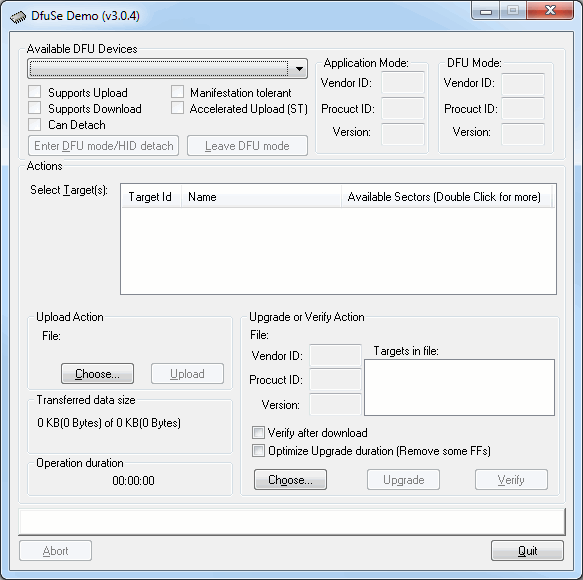
Install the PGM link on your controller, then apply power and connect it to your PC. (If you're using the EC1, holding the button down when connecting USB will enter download mode) The DFU Demo will now show an available device:
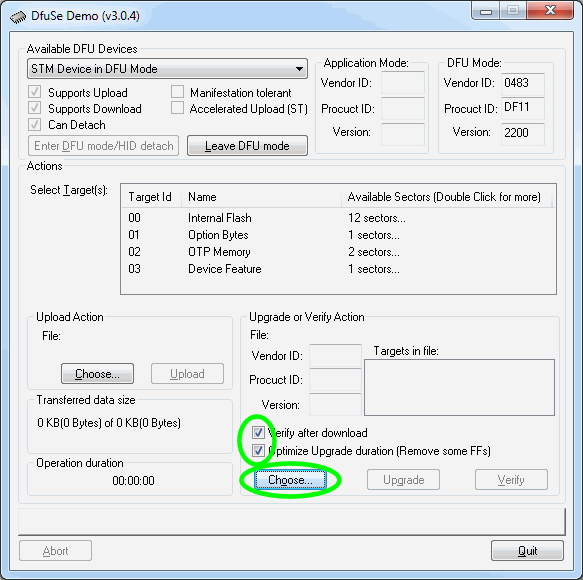
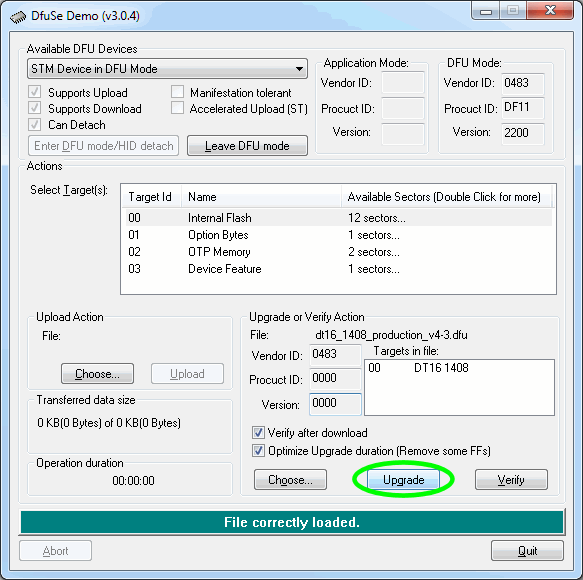
Tick the boxes as shown, the click Choose and select the controller firmware file you downloaded above.
Now click Upgrade:
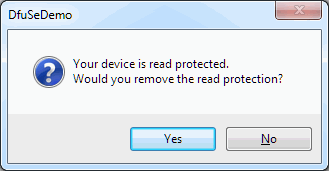
If you see this popup below, click Yes then wait about 30 seconds. Sadly there's a bug in the downloader and it will crash if you don't wait for a bit. If you hear the USB boing bong sound, you're good to proceed to the next step.
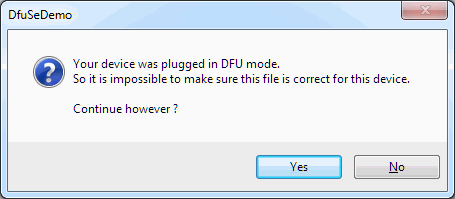
Just say Yes. (But if you saw the read protected popup, be sure to wait about 30 seconds before clicking Yes.)
Now the new firmware will be uploaded and at the end you'll see this
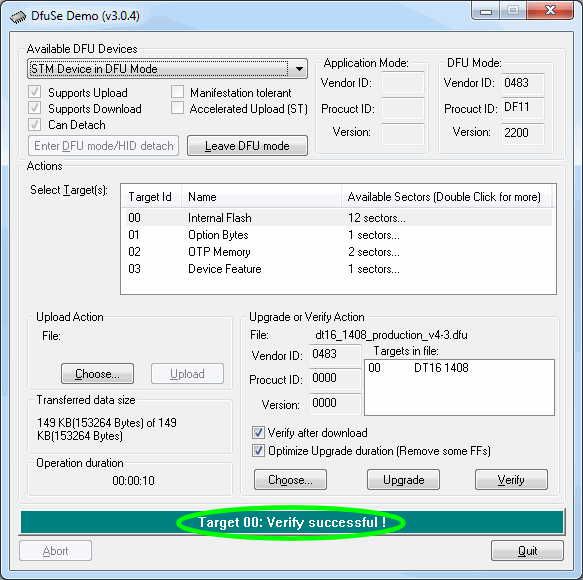
All done. Remove the jumper and USB cable, then power cycle your controller. You'll need to reinstall your SPLat application.
Please be sure to tick the "Verify after download" and "Optimize Upgrade duration" checkboxes before upgrading the firmware
1. Download SPLat Firmware
Download this firmware file for your controller.
2. Drag and Drop
No special program is required to update the firmware.
In the description below, replace "HMI430" with "HMI430B", "HMI700" or "HMI700B" as appropriate.
The "B" variants are the same as the non-B variants, but run on a lower-spec processor due to the global parts shortage. They cannot run the same software.
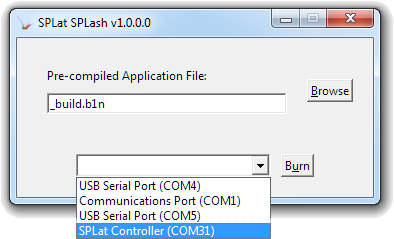
- Open the HMI "System Firmware" folder that is in Computer | HMI430 | System Firmware.
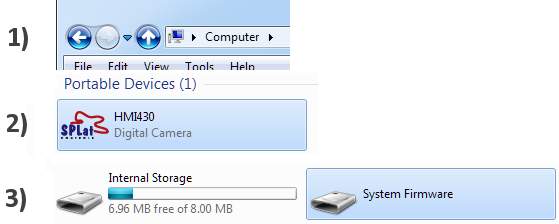
- Extract the "hmi430.srec" file from the zip file you downloaded and drag it into the "System Firmware" drive.
- Wait about 60 seconds for the update to complete.
1. Download SPLat Firmware
2. Download the SPLat SPLash application
Download then run SPLash. It won't install anything but will simply run from the current directory. This tool will upload the firmware to your SPLat controller. You will need a USB-TTLSerial cable.
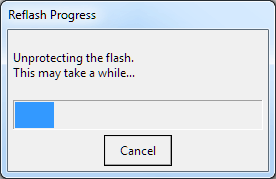
Run SPLash and you'll see this:
Either Browser or drag&n drop a .hex or .s19 file onto the SPLash window.
Install the PGM link on your controller, connect the TTL communications cable, then apply power and connect it to your PC.
Click the Burn button. You should see the following progress:
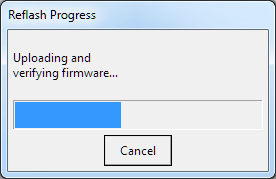
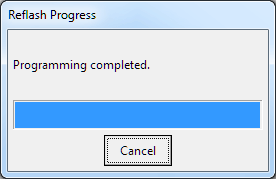
All done. Remove the jumper and power cycle your controller. You'll need to reinstall your SPLat application.