This is a place-holder page to enable SPLat/PC to work in the short term
To download the latest SPLat/PC version, please go here
Better, to download Dash, please go here
SPLat is a system of industrial strength, professional quality embedded controllers designed for Original Equipment Manufacturers. SPLat has been an major enabler for many companies worldwide, thanks to cost effective designs, excellent support and the ability to transition painlessly from off the shelf products for early-stage work to a custom SPLat for volume production.
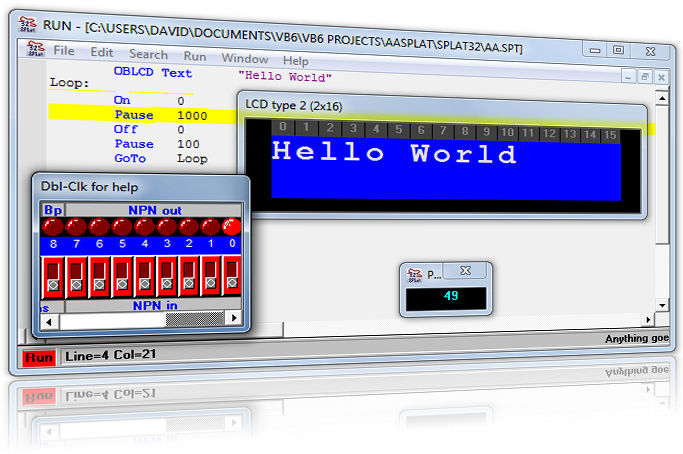
SPLat/PC is a free integrated development environment for our proprietary SPLat programming language. It provides all the tools you need to program SPLat: An editor with syntax highlighting, a complete simulator and a download manager to transfer programs to the SPLat controller.
The editor is where you type in your program. Our FastTrack instruction set lets you get started making useful programs after learning just 14 instructions. Our programming language is the easiest controls language in the world to learn. SPLat/PC also contains interactive Mini Tutorials to get you started even faster than before!
The simulator lets you test your program without running it in an actual controller. It includes simulation of external inputs and outputs, and lets you give your program a thorough workout under safe, controlled conditions.
SPLat/PC works on all Windows versions from Windows XP to Windows 10. Requires a serial (COM) port (you may require a USB to serial adaptor). See our accessories page.
Download SPLat/PC 32-bit V{$latest['maj']}.{$latest['min']} } ?>The latest version should be compatible with your existing SPLat application. If you encounter problems, please contact us and download an older version.