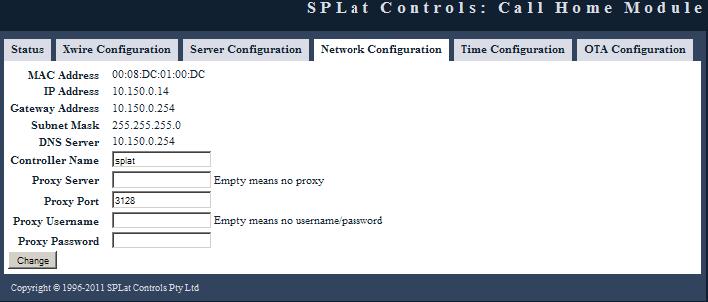
This tab allows you to configure how the SX10509 communicates to the network it is connected to.
Any changes you enter here will take effect once the change button is pressed.
Shows the unique MAC address of the SX10509.
Shows the IP address that has been assigned to the SX10509 for communications over the network.
The Gateway address that connects the internal network the SX10509 is currently connected to to the internet. Most probably the LAN address of your modem.
The subnet mask for your LAN.
The address of the DNS server as provided by your modem for the subnet mask.
The name you give to the board to make it easier to remember and connect to with your browser. By default this is SPLat but you can change it if you have multiple SX10509s on the network. 15 alpha numeric characters maximum no spaces.
This is only applicable if your network uses a proxy server to connect to the internet.
Port of the Proxy server.
Authorised username of the Proxy server. If you use a proxy server that doesn't have a username/password leave this field blank.
Note: We only support Basic authentication and do not support Digest authentication.
Authorised password of the Proxy server corresponding tot he username. If you use a proxy server that doesn't have a username/password leave this field blank.